
1.3 · Coming soon
A little snow. A little more company. These features preview the upcoming update and are not yet available in the public App Store release.
New weather
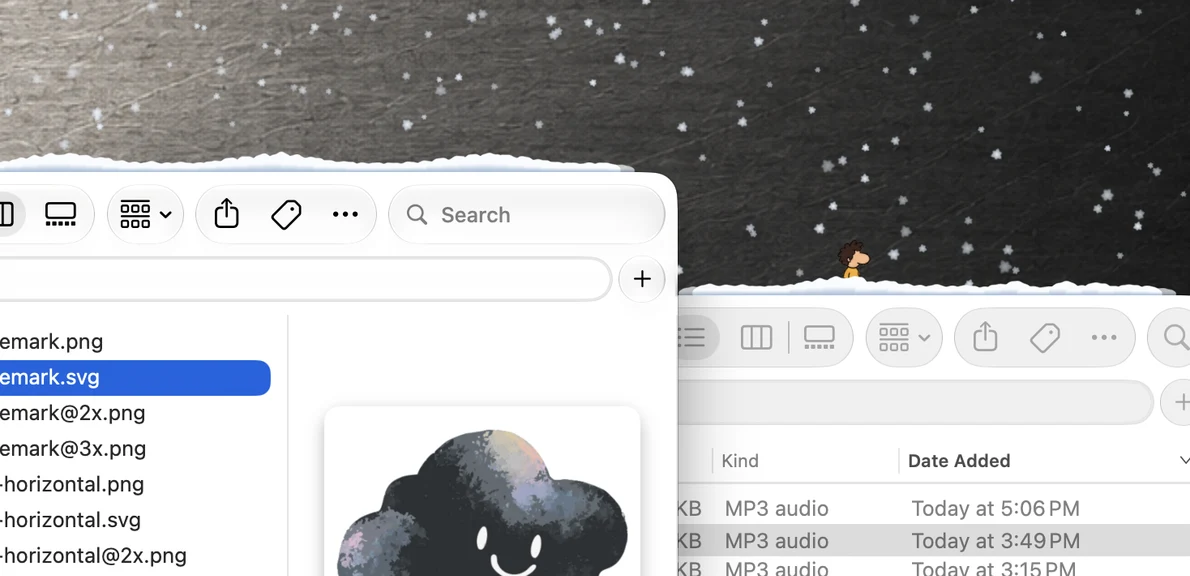
- Snow falls among your windows and builds up along exposed window tops. Move a window and its snow comes along; close or cover it and the snow tumbles down, settles, and melts away.
- Choose rain, snow, or a mix of both with the Rain and Snow slider. Choose Random to let the mix shift on its own.
- Rain audio eases as the weather turns snowy. Intensity, wind, and depth remain yours to adjust.
More to discover
- More Lings to meet. I'll leave who they are and what they do for you to discover.
- Turn on Interactive to pick up Lings and drop them into boxes to collect points.
- See your collection, counts, points, and total score in Settings > Lings.
- Share My Score makes a card on your Mac: copy, save, drag, or share through macOS. Social shortcuts help you start a post.
- Optional Ling sounds with their own volume.
Accessibility
- Optional descriptive box labels let you identify boxes without relying on color. Enable them in Settings > Accessibility.
- To pause effects whenever macOS Reduce Motion is enabled, turn off “Show effects even when Reduce Motion is on” in Settings > Accessibility.
Fixes and refinements
- More consistent animation alignment and scale, and improved pickup and window layering.
- Better handling of overlapping windows, full-screen apps, and Spotlight.
- Fixed overlays interfering with Apple sign-in and authentication prompts.
- Refined weather controls and fixed clipping around the menu bar popover. Screenshot options now live in Settings > Advanced.
Interaction and Ling sounds are off by default. Watch the visits, join in, or turn Lings off and enjoy the weather. Your collection and score stay on your Mac unless you choose to share.