★★★★★ · APP STORE REVIEW
“Cozy Weather App”
“Nice simulated rain effect for those days when you’re in bed working. Does not track you either so always a plus for me!”
A little rain. A little snow.
 I'm only happy when it rains
DESKTOP WEATHER APP FOR MAC
A little weather for your Mac.
Rain and snow on your windows.
New: Little visitors called Lings™!
★★★★★ · APP STORE REVIEW
“Cozy Weather App”
“Nice simulated rain effect for those days when you’re in bed working. Does not track you either so always a plus for me!”
Rain & snow is on.

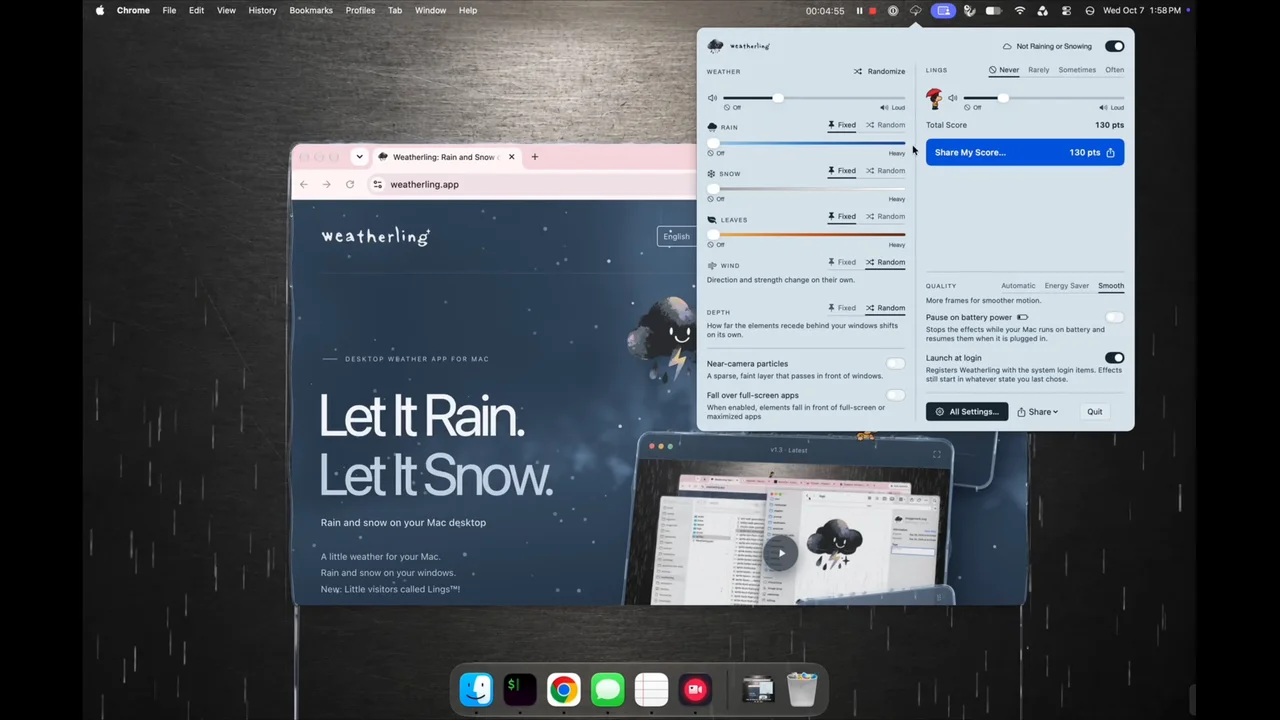
These aren’t screenshots.
Go on. Move a window.
“Cozy Weather App”
“Nice simulated rain effect for those days when you’re in bed working. Does not track you either so always a plus for me!”
“It’s a fun app for when you want rain”
“It’s a lightweight app that adds a little rain to your day even if you live somewhere dry!”
“Does What It Says, And Does It Well”
“Really, is there anything better than a simple app whose only use is aesthetic joy and where it does exactly what it says it does without any hassles? This is what the $1.99 price point is all about. You don’t need it, but someone worked hard enough on it to make you want it, so why not pay them for the effort as a way to say “Nice job.””
“Neat execution”
“really like the rain physics , especially after minimizing the full screen apps... I hope more weather effects like snow and hail gets added on in future updates.”
“So cool!”
“I’m running it all the time. Please continue to deliver new features and improve the graphics :) more variability of the dripping, dripping around corners a little better, showing up behind the bar at the top on mac would be more immersive too.”
“Relaxing App”
“Purchased this for casual use but have found myself using it for work too for focus assistance via the visuals and especially the sound effects. The visuals are top notch & really atmospheric. How the rain streams off the window edges during heavy phases really makes it. Looking forward to future updates.”
“I needed this!”
“Weathering has one job and it does it vey well. At the moment, my Mac desktop is experiencing a mix of rain and snow. The rain and snow builds up on top of any open windows. When I close a window, the precipitation is no longer supported so it falls down the screen. My windows, themselves, are not affected. The whimsy that this app brings is just what I need.”
“Creates the vibe”
“This is awesome. Love the app, love the one-time fee, feels like a fresh air in the dark times of subscriptions. Please add more weather effects and don’t drop the development. If one day you will get tired of supporting this please consider going open-source, devs (including me) would love to keep this alive. Thank you!”
Weatherling 1.4 brings autumn leaves, new Lings, performance improvements, and bug fixes.
Weatherling is a tiny weather system for your Mac. It is a menu bar app that makes rain fall among the windows you already have open: drops land on the top edge of a window, gather along the edges and in the corners, and find their way down the sides. It is an ambient visual effect, not a forecast app. It shows no temperature, no radar and no seven-day outlook, and it is not connected to the weather where you live. You decide whether it is raining, and how hard.
A passing drizzle, a proper downpour, or a quiet snowfall, set from the menu bar and then forgotten about. The weather stays click-through while you work. Optional interaction lets you pick up Lings when you feel like a break.
Rain falls from the top of each display and lands on whatever is exposed. Because Weatherling reads the front-to-back order of your windows, a drop can fall in front of one window and behind another, which is what makes it read as weather in the room rather than a sticker on the glass. Water that lands on a title bar travels along the top edge, pools in the corner, and runs down the side.
Turn the intensity up and the edges overflow into small waterfalls. Slide toward snow and it settles along the window tops instead. Turn it down and it is a drizzle you stop noticing, which is the setting most people end up leaving it on. The draggable windows on this page are a live web illustration of the same idea, so you can try the behavior before you install anything. As for why a quiet rain works so well, the research is in why rain on your desktop can feel calming.
The rain can have a sound as well as a picture: a looping recording of a real downpour, off until you turn it on, with its own volume and no claim on whatever else is playing. The control window on this page plays the same recording, so you can hear it before you install anything.
Weatherling 1.4 is now available on the Mac App Store.
Version 1.3 brings snow that gathers on your window tops, tumbles down when released, and melts away. Choose rain, snow, or a mix of both, or let Random shift the mix for you. More Lings are waiting to be discovered, too. Watch their visits, or turn on Interactive in the Lings settings and join in.
In v1.3, you can pick up a Ling and drop them into a box to collect points. Some Lings and boxes are rarer than others. See what you discover as you build your collection.
Your collection in v1.3 keeps track of the combinations you have found, their counts and points, and your total score. Share My Score turns it into a card made right on your Mac. Copy it, save it, drag it into a message, or share through macOS. Social shortcuts open a post for you to finish with your card.
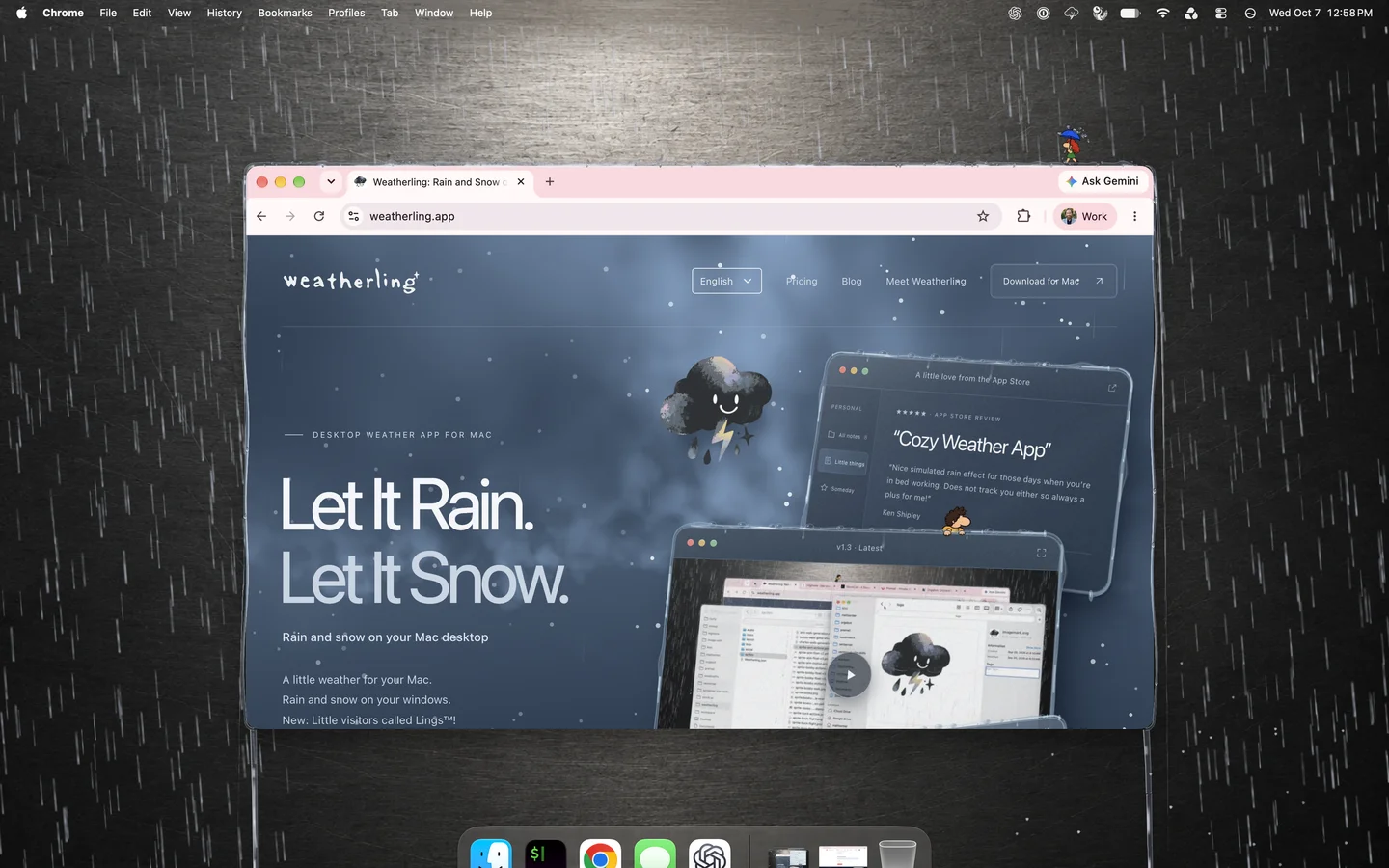
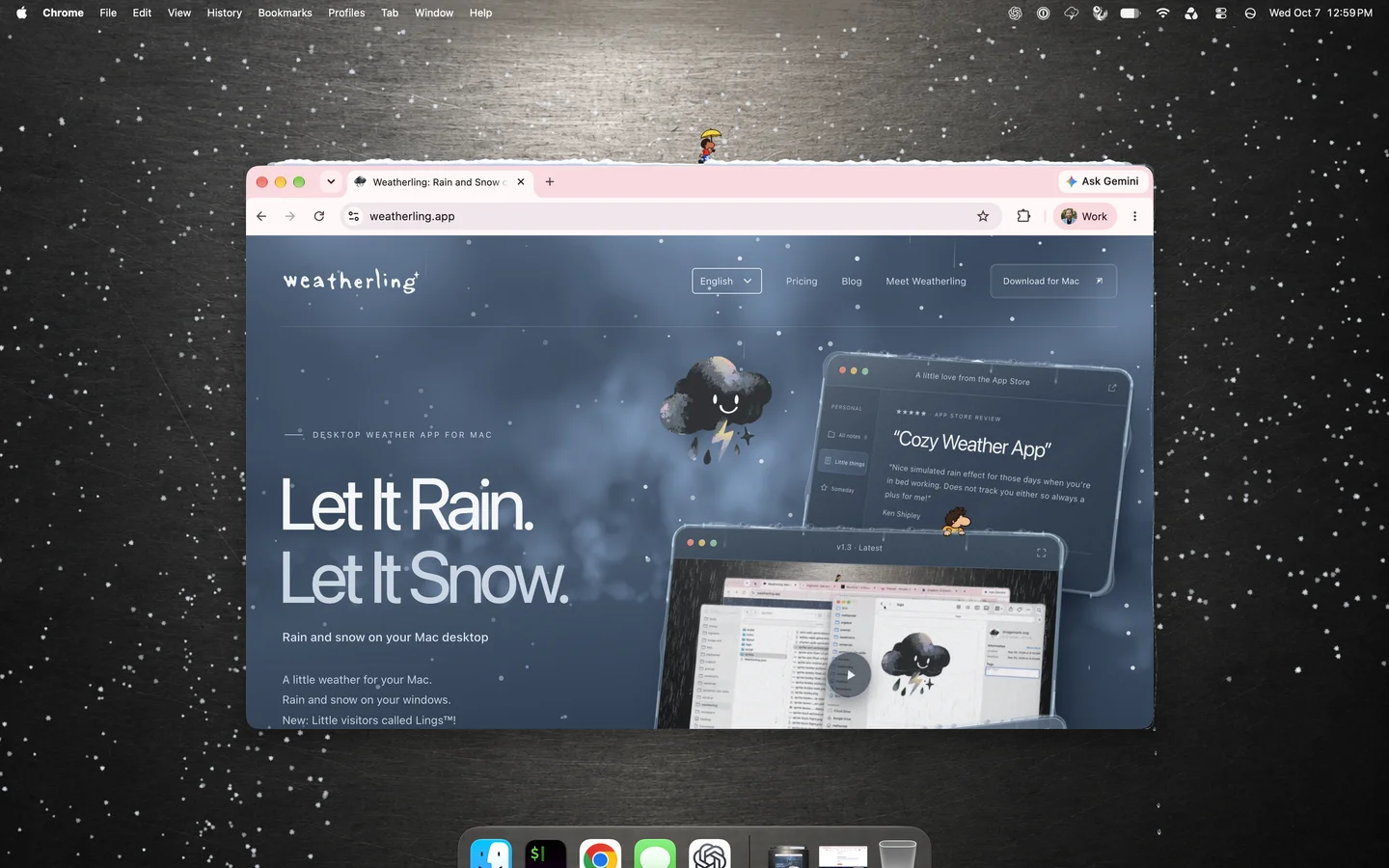
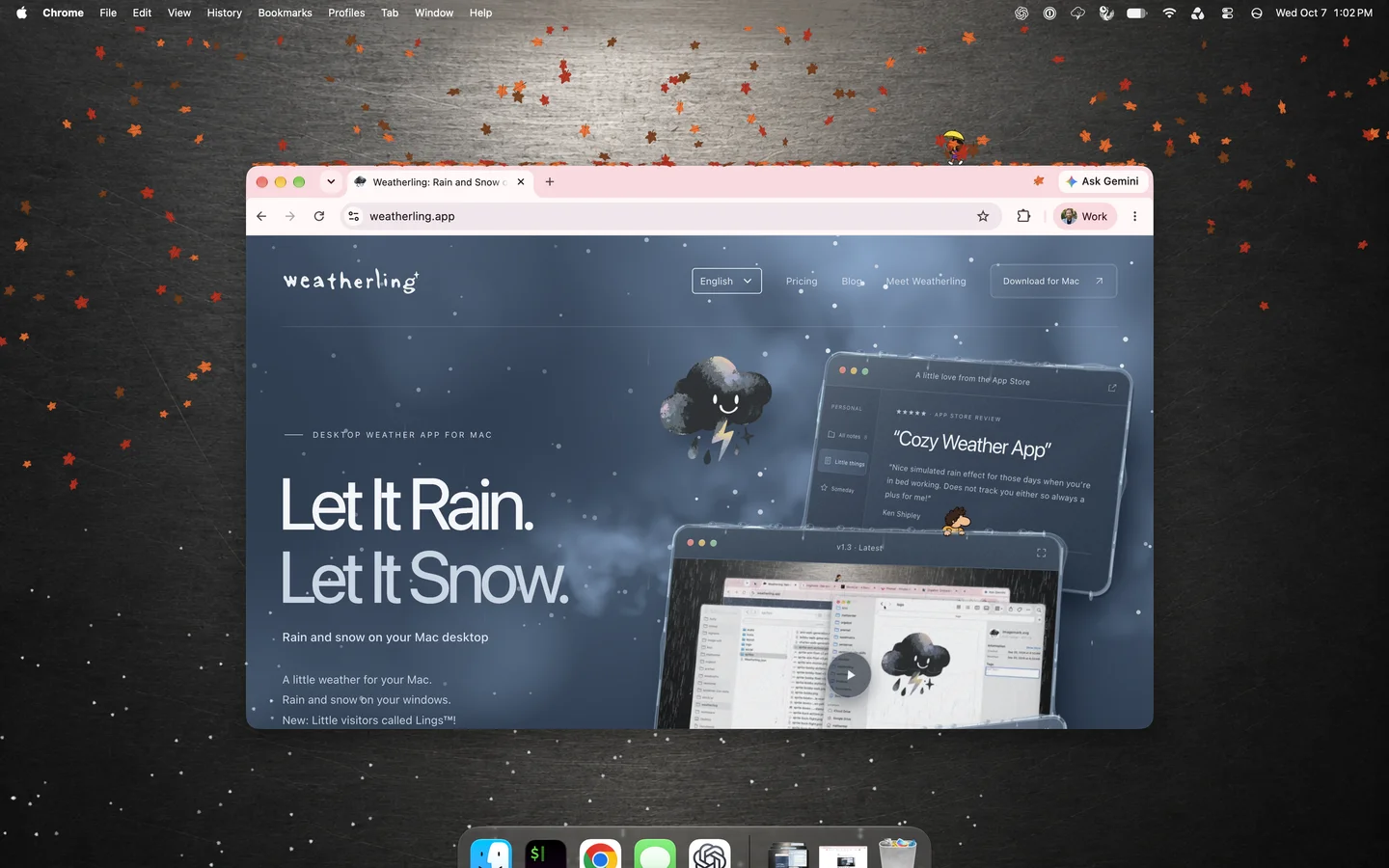
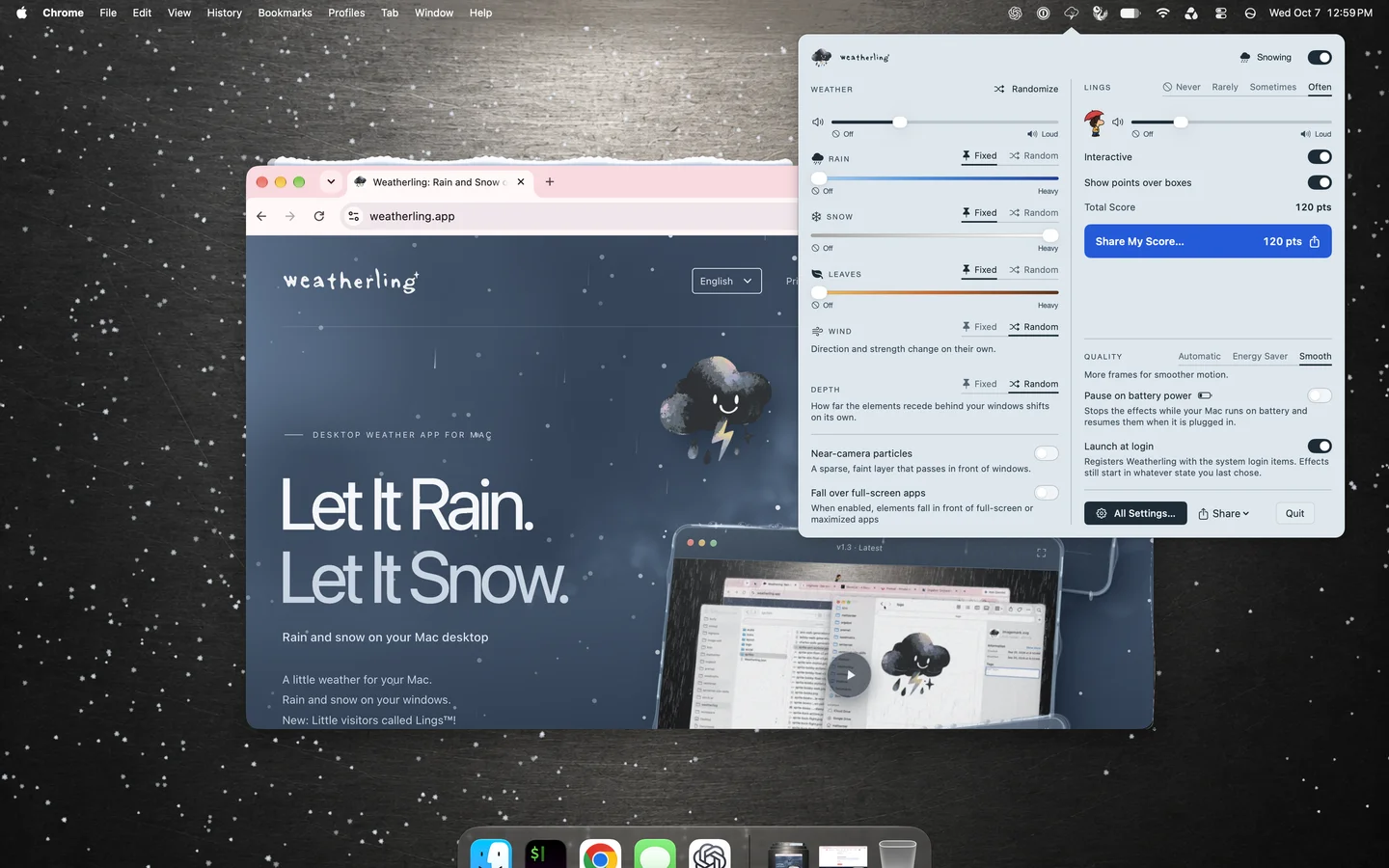
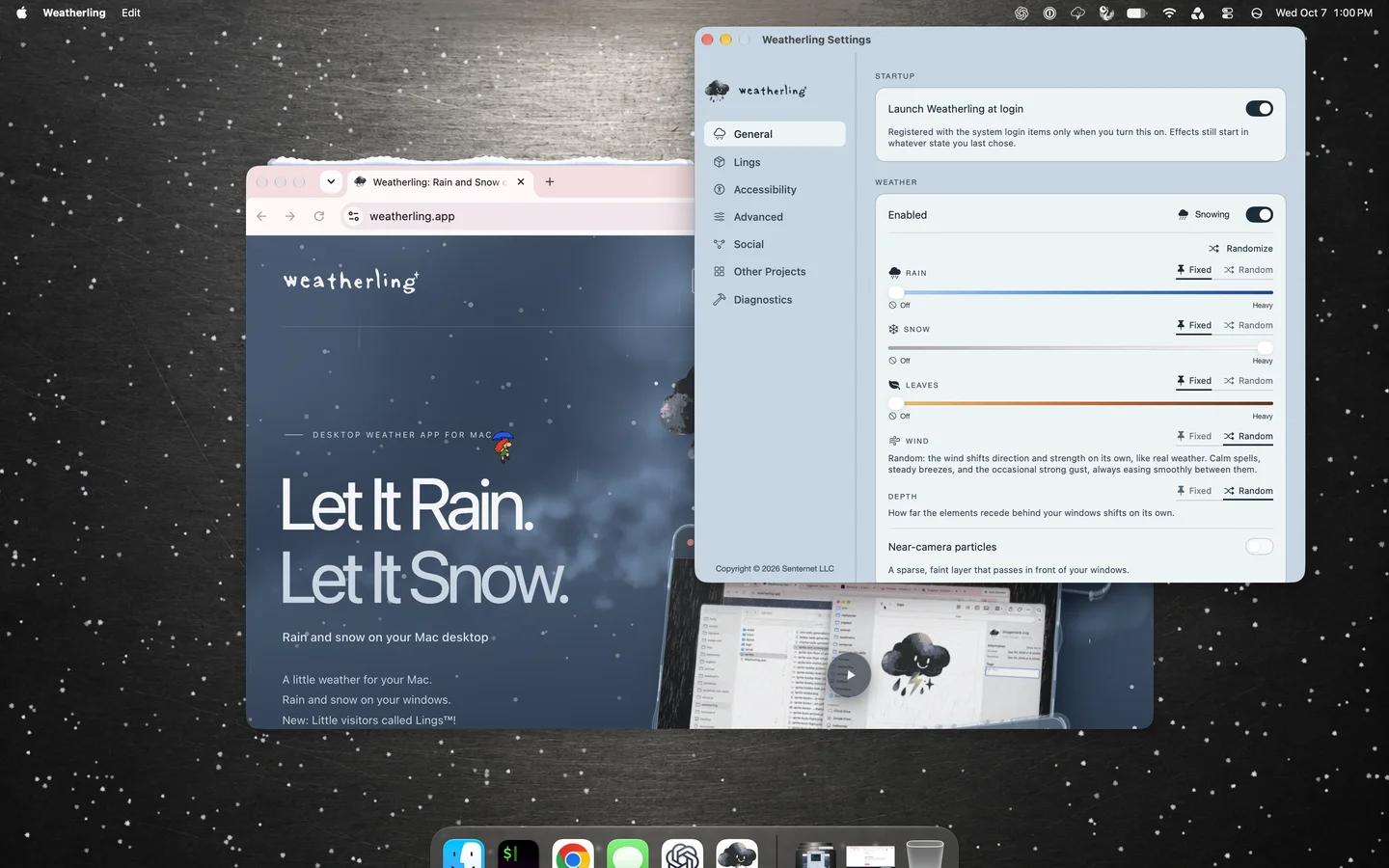
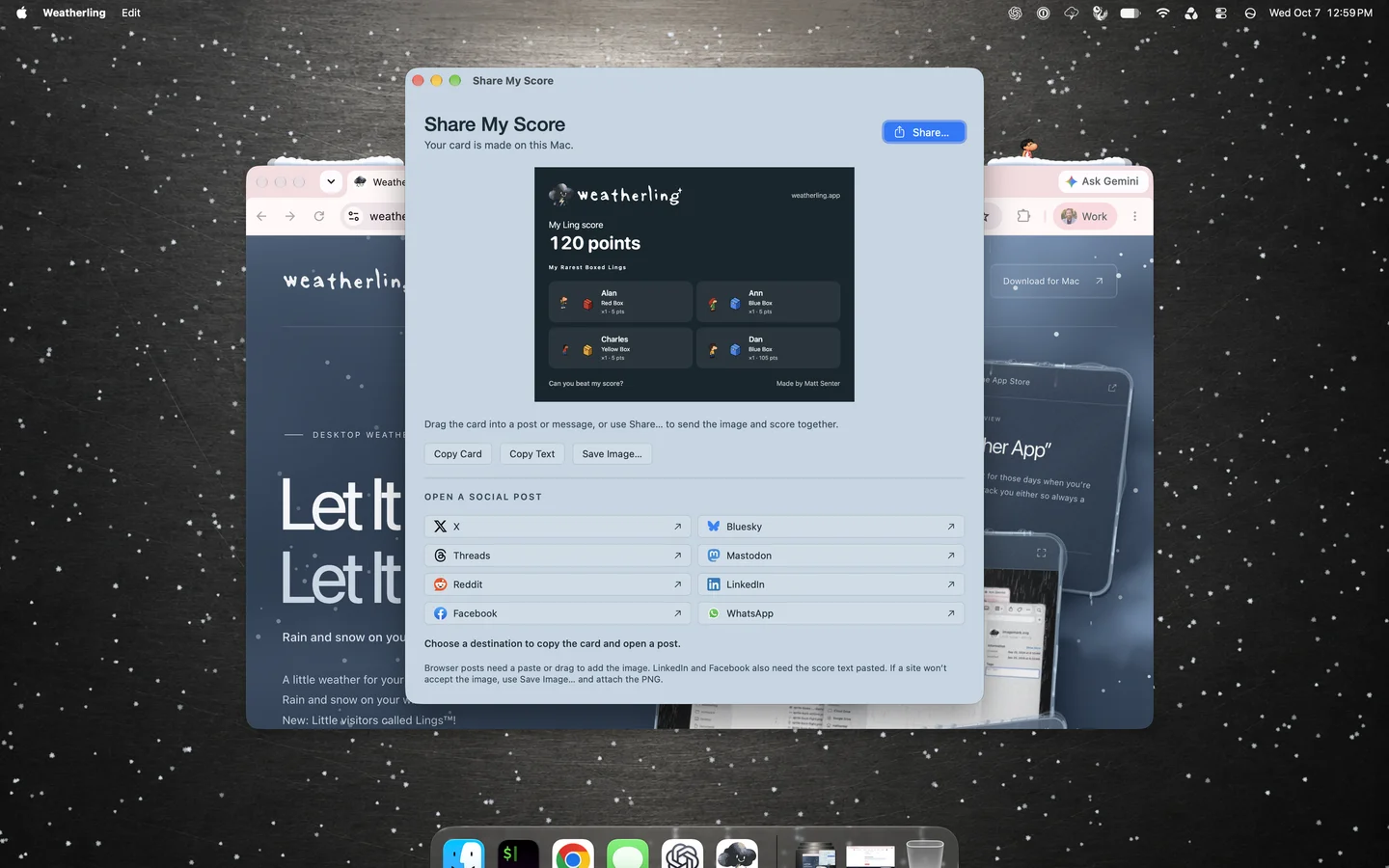
Weather sounds and optional Ling sounds have separate volume controls. Interaction and Ling sounds are off by default. Leave the Lings to their adventures, or turn them off for weather alone. Optional floating points show what you earn when you collect a Ling. See the full release notes for new features and fixes.
How to Make It Rain on Your Mac Desktop
More on the blog: Weatherling 1.4 is here: autumn leaves and new Lings · Weatherling 1.3 is here: snow and a little more company · Weatherling 1.2 is out! Meet Dan the Ling · Weatherling Reached #13, Then #8, in Mac App Store Utilities
Install Weatherling from the Mac App Store and open it. Its icon appears in the menu bar: click it, turn the weather on, and set the intensity, wind, and depth. Rain or snow starts falling among your open windows right away, with no Screen Recording or Accessibility permission to grant.
Neither. A screensaver takes over the screen when you stop working, and a live wallpaper sits behind every window. Weatherling draws on a transparent layer among your windows while you keep working, so rain lands on the ones in front and passes behind the ones further back.
Yes. The rain and snow are click-through, so you can keep clicking, typing, and dragging as usual. Lings are click-through too unless you turn on the optional Interactive setting.
Each display gets its own weather, and you can switch it off on the ones you want to keep clear. The weather follows you to every Space.
By default the weather steps aside on a display while an app is full screen, so a film or a presentation stays clear. If you would rather it kept falling there, turn on Fall over full-screen apps in Settings.
Yes. Interaction is off by default, so you can leave the Lings to their own adventures. You can also turn Lings off in Settings or the menu bar for rain alone.
No. Your score and collection stay on this Mac. Sharing is your choice: Share My Score creates a card locally for you to share through another app or website. There is no account or online leaderboard.
It is built to be light. At default settings it averaged about 3 to 4% of one CPU core in my latest measured run. With quality on Automatic it drops to an energy saver mode, with fewer drops and a lower frame rate, when Low Power Mode is on or the Mac is running hot, and it stops drawing entirely while the Mac or its displays are asleep. You can also choose Energy Saver permanently. My performance measurements explain the CPU and memory costs I have observed, and why I do not yet claim a battery-life figure.
No. Weatherling is an ambient effect, not a forecast. It rains when you want it to, as hard as you want, whatever it is doing outside.